Tuesday, 16 July 2019

Edtech On The Rise - 5 Noteworthy Innovations 2019

With the ever increasing advent of technological solutions and innovations, across many disciplines and industries, it’s of no surprise that the rise of educational technology is among us. And it’s not going anywhere!
As an advocate for a more educated future, as well as being a leader in edtech solutions, us here at Codal would like to share our five favorite edtech innovations of 2019!
1) Livescribe Smartpens
Research has proven that handwritten notes contribute to better retention of information compared to typed notes. However, handwritten notes have a greater potential for getting lost, ruined, or eaten by your dog. Via a high-tech stylus, Livescribe eliminates these worries by digitizing them into PDFS, editable text files, and recorded audio. This impressive edtech is a product of Anoto.
2102) Handshake
With education, particularly higher education, comes the need to put your acquired knowledge and skills into practice within the context of a job. But finding a work that’s complimentary to your area(s) of study can be challenging. However, with Handshake students need not worry. Handshake is an online career network/platform that helps students find jobs/internships with the ability to do specific to their areas of study. Similar to LinkedIn, Handshake lets students build profiles that can be seen by companies (potential employers) who are connected to the platform.
2113) EDX: Free Online Courses by Harvard, MIT, & more
This is a non-profit online platform that aims to democratize learning. Managed by leading institutions in higher education, EDX provides free online courses; a concept, similar to open-source software, referred to as MOOC: Massive Open Online Courses. With great accessibility and the potential to be a tradition college education or continuing education supplement, EDX is an encouraging edtech development!
212
4) MATHia & MATHiaU
These two intelligent and responsive math-teaching softwares are an edtech must! MATHia is for grades 6th-12th and MATHiaU is higher education. Both softwares provide one-on-one tutoring, as well as personalized learning paths for math students. Math learning ought to be differentiated in delivery in order to solidify knowledge and retain understanding and that’s exactly what this software provides. These softwares are easy to use have aesthetically pleasing interfaces, and integrate seamlessly with Learning Management Systems (LMS) (essentially CMS specific to education), so school teachers and instructors can utilize the resource too! This software is a product of Carnegie Learning.
213
5) Remind
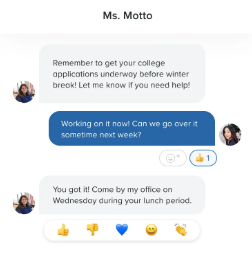
214Remind is a communication platform and mobile app designed to bring students, parents, and educators together. More specifically, Remind allows teachers and school administrators to communicate with parents and students via mobile all within the context of a neat platform. Additionally, this application integrates seamlessly with LMSs, like Canvas.
Conclusion
Edtech is the future of education. The possibilities are endless, with innovations ranging from hardware to software. Either way, developing said innovations requires solutions. Who better than to contact than Codal, an application development firm specializing in custom software development services.

Friday, 12 July 2019

User Experience For Wearable Tech - What You Need To Know

Wearable technology used to be something in people’s wildest dreams. Now, not only is wearable tech available, its popularity and functionality is ever increasing. Wearables connect the digital world to the physical world. And as such, it’s time for serious consideration when designing a wearable product.
200Let’s examine the two parts of the product and how to design accordingly for both.
Hardware
There are two main concerns when designing hardware: comfort and aesthetics.
If the device is not comfortable there is no way users will wear it (unless it looks cool, but designing for comfort really should be a must). When designing consider how the device would best fit on someones body, or rather the hardware could integrate or enhance the body.
Hardware must be aesthetically pleasing. This is the intersection of fashion and function. Consider what’s popular when creating your wearable, but also consider the ability for user customization as you won’t be able to accommodate all aesthetic preferences.
Lastly, make sure your hardware is cohesive with your software. If you’re having trouble bringing these two together seamlessly, consider some custom software development services, like the ones offered at Codal!
Software
The software design for wearables should be treated like any other development process; i.e. putting the user at the center.
The software for a wearable should be intuitive on the front-end for users. They should experience the perfect amount of disfluency, but still be able to easily navigate your product to complete their objectives.
Keep in mind, wearables are often meant to serve a specific function, or accomplish a certain objective, opposed to accommodating a handful of potential tasks, like a computer. That being said, when designing your software less is more. Don’t aim for mass functionality, rather strive for a seamless singular or small set of functionality.
201Additionally, considering a great majority of wearable tech involves biometric data, you must be designing in accordance to HIPAA compliance. (If you’re not experienced with designing within these parameters, consider contacting Codal, a leader in software development for healthcare!).
Caption: Picture from Study: Wearable Technology & Preventative Healthcare.
Conclusion
The experience of wearable tech is just as much physical as it is digital. Designing an experience that brings together hardware and software seamlessly is easier said than done. Though, it’s not impossible. If you’re in search of a wearable tech solution, contact Codal, a UX design company.

Friday, 5 July 2019

Agile Versus Waterfall Development: Which Is Right For You

While there are many approaches to software development used by software development agencies, two of the most popular, as well as powerful, are Agile and Waterfall. Both of these approaches are very different, but effective in their own rite. That being said, choosing between the two is not an option as they are often suited for different types of projects. For the purpose of this piece we will profile each process and provide pros and cons of each in efforts of helping you make an informed development decision.
Agile
Agile is not a PM framework, nor is it a methodology, rather its a set of values and principles concerned with producing a product, i.e. software. Agile’s deliverables, especially in regard to software development, are made and accepted incrementally, within short iterations (roughly 2-4 weeks).
191
Pros
Frequent communication amongst developers and those accepting the deliverables is required, which should result in favorable dividends.
Akin to the previous point, and although not guaranteed, collaboration amongst people ought to be much higher compared to other development methods.
Considerable use of visuals used (e.g. boards, charts, Kanban, etc.).
Cons
Larger projects might be challenging due to the inability for developers to always be within proximity to the businesses commissioning their projects.
Agile is very intensive to all parties involved, and as a result requires ample time and attention that may be difficult to accommodate.
Deadlines are particularly strict and crucial. Oftentimes, people are reluctant to follow these which hinders success.
Waterfall
Waterfall is a linear process. Alternatively put, waterfall is sequential in its phases. Each of these events composes the project, or software, lifecycle. Unlike Agile, requirements of a project when using Waterfall are defined in the beginning but left subject to change as the software develops. Hence why Waterfall is often used on physical projects.
192
Pros
Easy to use and understand!
Agreement and expectations between customers and developers is made early on – no surprises later.
Relative to Agile, Waterfall can handle large-scale design or analysis with ease, as well as the impact of downstream design changes.
Cons
People are often reluctant or skeptical in regard to defining and committing to deliverables from the beginning as the fear is early ideas may be flawed or project may change.
The potential for risks is far greater with Waterfall, compared to Agile. For instance, changes to the project made later on have higher costs. Additionally, the range of invalid assumptions is endless with Waterfall.
Communication risks are greater than those associated with Agile. Waterfall does not have a communication practice built into its process, whereas Agile does. As a result, communication can lack.
Conclusion
If you’re not sure which process to choose to get your software developed, or you’re unable to develop your own software, contact Codal, experts in custom software development services, software development for healthcare, and logistics software development.

Wednesday, 3 July 2019

5 Free Shopify App's for Your eCommerce Startup

You’ve made a couple of important decisions recently.
Order Printer
If you’re in the eCommerce business, you’re going to be sending goods through the mail. Decrease costs and hassle with Order Printer; a must have for any eCommerce operation on Shopify.
181
Caption: Order Printer screenshot
Not only is this app free, it allows users to customize and print custom packing slips, invoices, labels, or receipts. It’s worth noting, that customizations need to be done in HTML and Liquid, both of which one would need experience using.
SEO Site Audit, Benchmark Hero
Startup or not, you should be concerned with SEO. With SEO Site Audit, Benchmark Hero, bolster the success of your eCommerce site by improving your SEO.
In order to do so, this app runs an audit on your site and answers questions like “how does Google scan my site?”, “what is the percentage of recurring customers?”, and “how fast does my site run?”. Answering questions like this will drive traffic and boost conversion rates!
182
Integrates with StoreYa.
Kit
You’ve secured your next marketing expert with this app. Vowing to support your company’s need for sales growth, Kit will analyze your business and reccomend marketing solutions.
Kit prides itself on helping small businesses overcome the folllowing three challenges:
Lack of time to both learn and execute marketing
Not enough capital to hire a marketing professional
No experience in online sales
183
Caption: Kit’s interface
Kit integrates with Facebook, Instagram, Customer reviews by Yotpo, SEO Manager by Venntov, and Kit Karts by ShopPad.
Improved Contact Form
A well designed and fully functioning contact page and/or pop-up is a must for any business, espcieally a start-up! Give users and customers interpersonal access to your business by enstating Improved Contact Form to your Shopify store.
This app automatically adds a contact page to your website without any coding, as well as providing contact pop-ups. Additional functionality includes recieval of contact form submission directly to your pre-existing mail box, bot spam protection, customizable contact form fields, and smart contact form, which provides users information (like city, state, IP address, how they found your site, and more).
184
Caption: Improved Contact Form’s automated email email notification to your personal email.
Integrates with mailchimp and Constant Contact.
Compass
A Shopify store is incomplete without an analytics plugin and with Compass you’ll get just that! All you have to do is download the app, create your dashboard, and get started!
185
Compass track over 30 eCommerce metrics, like Customer Lifetime Value, Repurchase Rate, Refunds, Customer Acquisition Costs, and more.
Types of reports include: Benchmark Report, Insights Report, Acquisition Report, Revenue Report, and an Executive Report.
There’s no excuse to not know your eCommerce business, especially given the analytics tools abailable. Use Compass to understand your business inside and out.
Integrates with Paypal, Stripe, Amazon, Facebook Ads, Google Analytics, and Google Adwords.
Conclusion
Starting an eCommerce store can be daunting and costly. However, it doesn’t need to be. Take advatage of the free apps recommended above in order to jump start the success of your Shopify store. But if you’re looking for a more specialized app, get in touch with an eCommerce app development agency.
If you’re looking for more eCommerce solutions, consider contacting Codal, an eCommerce web development company.

Wednesday, 26 June 2019

Statamic CMS: A WordPress Alternative

171
Caption: image courtesy of Statamic blog post.
Many people and businesses count on WordPress for their CMS, and rightfully so. WordPress has earned its positive reputation. However, there are alternatives to (almost) everyone’s favorite CMS, like Statamic for content-based websites.
Statamic vs. WordPress
Although WordPress is free, which is always nice, you might save money in the long-run with Statamic. For starters, Statamic is far more customizable than WordPress. The core of Statamic is already fitted with Advanced Custom Fields, a backup utility, a forms module, search plugin, and a better caching system, unlike WordPress. As a result, the cost of ownership is lower.
Additionally, 90% of hacked sites from 2018 were WordPress sites. However, Statamic is built on Laravel which is one of the safest and most secure PHP frameworks ever. Other benefits of Laravel include mail integration, authentication/authorization system building, and separation of business logic code and presentation logic code.
No Database
Statamic stores all your information/data via flat files opposed to databases, making information/data more accessible, as well as easier to edit and use. For example, ease in doing the following: version control, migrations, and development. Furthermore, not having a database makes the operating speed of Statamic faster than its database CMS counterpart.
Using Statamic
First off, the UX/UI of Statamic easy to use and easy on the eyes. (Interested in improving the UX/UI of your website,web-application, or platform? Check out UX/UI design company, Codal!).
172
Caption: control panel illustrates user friendly and aesthetically pleasing UX/UI, image from Statamic | Self-Hosted WordPress Alternatives Part 4.
Secondly, Statamic is user friendly on the back-end. Set up and customization on the back-end is easy, inpart due to the Laravel framework.
eCommerce
While Statamic has eCommerce capabilities, such as addons like Charge and Statamify, it doesn’t stand a chance relative to platforms like Shopify or BigCommerce.
However, if you’re an online retailer using Statamic (or any other CMS), but you’re in need of some custom tweaking in order to bolster your eCommerce business, take it to the experts in eCommerce website design and development: Codal.
Plugins and Add-ons
WordPress has considerably more plugins/add-ons than Statamic. It’s worth noting the control panel of Statamic doesn’t allow you to download plugins/add-ons within it. If you’re using Statamic or another CMS and need custom plugin/add-on assistance, Codal, an application development agency, can help.
173
Conclusion
Both WordPress and Statamic have a lot to offer. Choosing between the two of them will ultimately depend on your specific CMS needs.
Interested in exploring these needs with a ux company or a mobile app design company, even a WordPress development company? Come talk to us here at Codal! And for more useful information, visit our blog!

Monday, 24 June 2019

5 Tips for Conducting User Interviews

By gathering information regarding users feelings, behaviors, motivations, objectives, and routines, UX designers learn how to improve user experiences. They do this via user interviews.
User interviews are great at all stages! Before you design as to provide information concerning personas, journey maps, and feature ideas. Or even after a user test in order to provide verbal responses as contexts to your findings.
Below are Codal’s, a user experience research services company, five tips for conducting user interviews!
1) Ask the right questions
Anyone can ask questions, but asking meaningful questions that elicit informative feedback takes some preparation.
Don’t ask “yes or no” questions and avoid vague questions. You want to ask thought provoking questions that require users to provide genuine, and explanatory, responses. For example, “Why or why don’t you like the checkout process?” or “Tell me about your experience using our product.”
Also, keep in mind the interview is not a sales pitch. Keep your questions neutral. This is not an opportunity to promote your product.
2) Try to anticipate follow-up questions
161While you can’t predict the future, chances are you will have at least some idea as to how your users will respond to your questions. That being said, try to anticipate their answers with follow-up questions in order to keep the interview moving forward and gather even more information.
3) Remember human flaws and limitations
User interviews receive self-reported data that reflect feelings and perceptions, both of which are inherently subjective. While we proceed to conduct user interviews seeking out these subjective responses, they are not void of human flaws and limitations.
Important flaws and limitations to keep in mind:
  • Some people may feel pressure to answer questions a certain way and as a result either omit details or include unnecessary details.
  • Human memory is not entirely reliable – take this into account when receiving any and all answers.
  • People prone to cognitive biases – this is certainly something to for both the interviewer and interviewee, however answers given in bias can give skewed results research.
Caption: image courtesy of Visual Capitalist
4) Topics to cover during the interview
162
While this list is not exhaustive, nor should you limit your interview to these topics, start here:
  • Background information – general info about the user, such as age, location, demographic, ethnographic, etc..
  • General technology use – user’s experience with technology, frequency of using technology, and types of technology being used.
  • Use of the product – determine how your user uses your product.
  • Objectives and motivations – why your user uses your product.
  • Pain points – users are usually pretty aware of their frustrations and where they originate so take advantage of this!
5) Make sure user interviews is what you need
163There are many different means to address the UX of your product, including but not limited to user interviews. However, oftentimes a user, or usability, test is needed opposed to user interviews.
If you’re needing to know things like whether a design is easy to use or what technically makes a design easy or difficult, then consider a usability test.
Caption: Table highlighting some differences between user testing and user interviewing from Nielsen Norman Group.
Not sure which test is right for you? Chicago ux design agency, Codal, can help!
Your conducted your user interview: now what?
164
Hopefully your user interview was a success and you acquired plenty of valuable information. Time to start using that data!
Maybe the goal of your product is digital transformation in healthcare, maybe your product aim is digital transformation in logistics, or maybe you’re looking for an eCommerce solution but your user interview results require a solution.
Contact Codal! Let us apply our user research services to your product and business.

Friday, 21 June 2019

Why You Need To Invest In User Testing

How you think users should use your platform is often different from how it is actually being used. When we’re dealing with websites and web-applications, the best way to understand how audiences are engaging with our UX is to conduct a user, or usability, test.
What Is User Testing (A Usability Test)?
Consider the following three qualitative variables: effectiveness, efficiency, and satisfaction. User testing measures how well a platform (i.e. website, web-application, or mobile app) performs based on these variables. Based on your findings, you adjust your platform.
It’s also worth noting difference between user testing and user research. User testing occurs once there is a tangible product with some degree of usability, whether that be a wireframe or a fully developed website. User testing is concerned with how the design functions and how easy the platform is to use. Comparatively, user research is performed before there is a product in order to understand user objectives, behaviors, and expectations in order to develop a product accordingly. Both types of testing can be completed by a UX design company and/or mobile app design company.
151
But why should you invest in user testing?
Time Is Money
Usability issues can be costly and time consuming the longer you wait to address them. But by investing in user testing you can identify problems before their scope is becomes too large and even harder to correct.
Without a user test, your UX is incomplete and your product is therefore suboptimal, which consequently has negative long-term effects on market share. Customers will try your website or web-application once, be dissatisfied, give up, and not try again, even after you’ve fixed the problem. It’s too late. So be sure to conduct your own user test or let a UX research services company do the work for you!
Usability Converts
Conversion rates show the percentage of at which users make a desired action. Desired actions are taken when UX proves to be effective, efficient, and satisfactory. Improve these elements via the findings in a user test in order to bridge the gap between what your platform is supposed to do and what its actually doing, aka boost conversion rates!
In the case of eCommerce sites, conversion rates are critical. Higher conversion rates are indicative of higher sales. Achieving higher sales is a result of various factors, however the better your usability, the easier and more pleasurable it is for customers to make purchases.
Not sure how to transform your user test findings into an eCommerce solution? Ecommerce website design and development agencies are pros at creating and modifying eCommerce platforms for higher conversion rates.
Conclusion
Thomas J. Watson Jr. of IBM once said, “good design is good business.” Improve your platform’s UX whilst simultaneously in order to save both time and money, as well as boost conversion rates. As a result, improving your business.
You should do user testing pre-design, during design, and post-design. If that seems overwhelming, you don’t have to do it alone. Contact Codal, a Chicago UX design company.